How can we help?
Create a Cash Account
Note: This feature is currently only available on Starter, Standard, Premium and Sharesight Business plans.
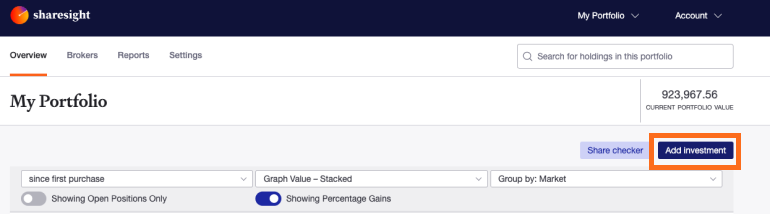
1 — On the Portfolio Investments page click on Add Investment button.
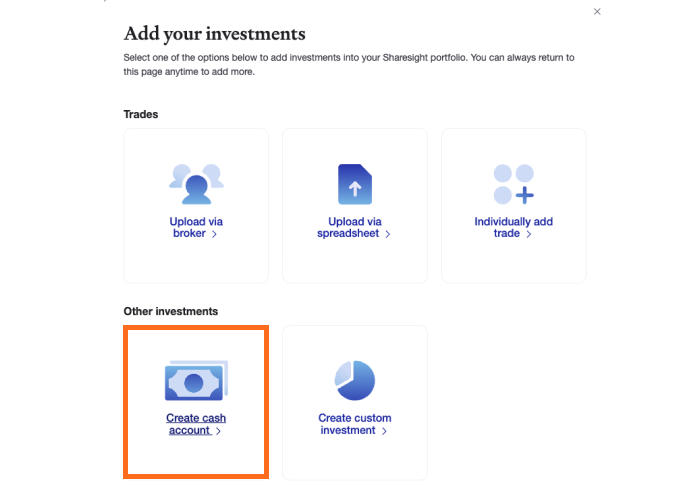
Click on Create a Cash account tile.
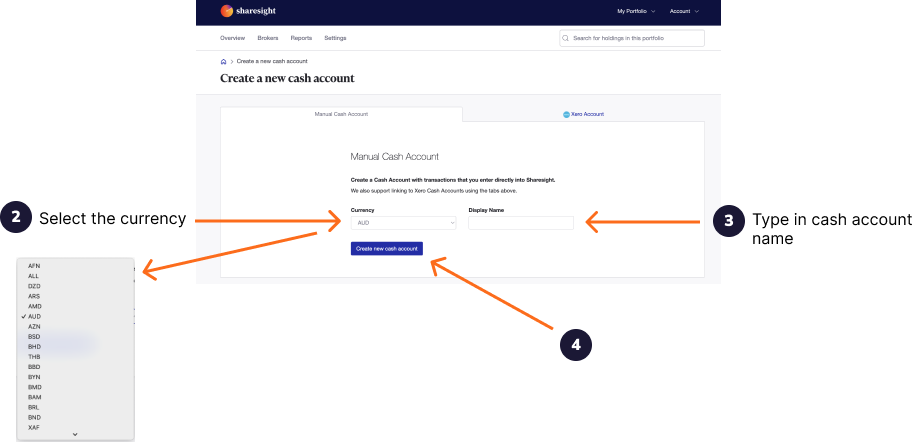
2 — Select the currency of the Cash Account from the dropdown menu. The total value of your Cash Account will be converted to the currency of your portfolio tax residency.
3 — Type the name of the Cash Account. This will be the name displayed within Sharesight on the Portfolio Investments page.
4 — Click ‘Create new Cash Account’.
The Cash Account will be created and loaded.
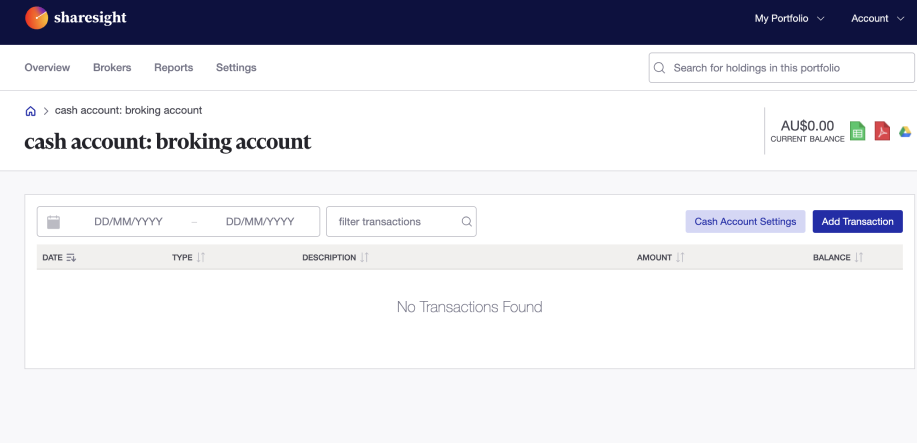
Now add the transaction to the Cash Account.
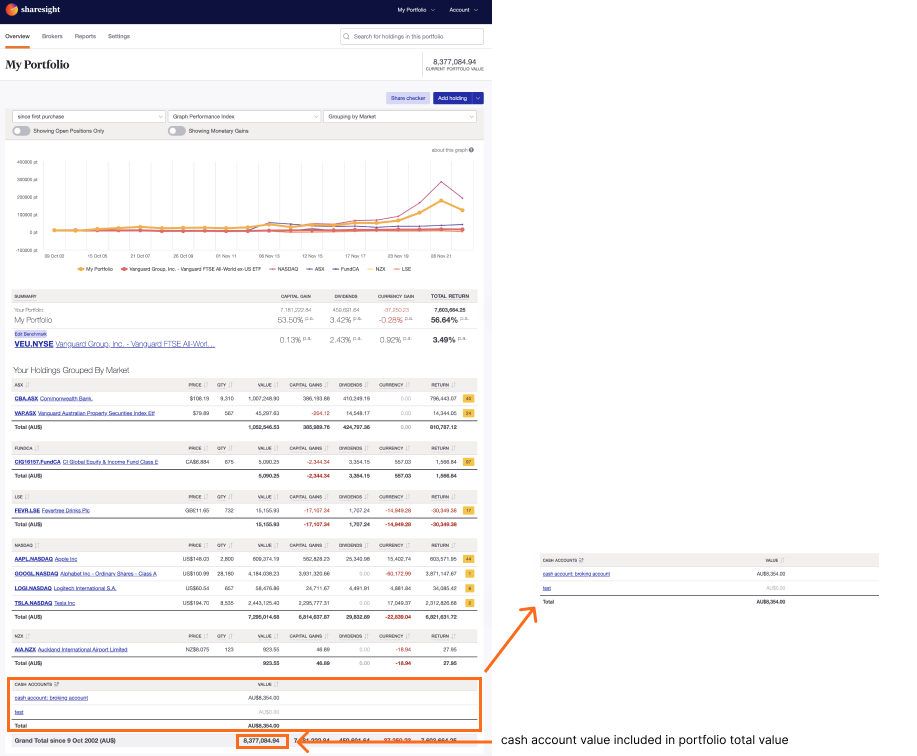
The Cash Account will appear on the Portfolio Investments page and the value of the Cash Account will be added to the portfolio total value. The Cash Account will not be calculated in the portfolio returns.
Sync historical transactions to your Cash Account.
Last updated 31st March 2026